Payment service provider software is the platform a PSP runs to sell online payment acceptance to many merchants: checkout, onboarding, back office, risk, routing, fees, payouts, reconciliation and support. If you run a PSP, acquiring bank, electronic money institution (EMI) or platform, this guide covers what that stack must contain.
What Is Payment Service Provider Software?
It is the software you run as an operator, not the software a merchant runs. A merchant needs one checkout and one account. You need to onboard hundreds of merchants, price each one, control its risk, route its traffic, pay it out and answer its questions, all from one system under your brand.
The gateway is only the first layer. Under it sit the processing logic that moves a payment from checkout to the acquirer, which our guide to payment processing software covers step by step, and the connectors to acquirers and payment methods. Around it sit the business modules this guide is about.
Merchant-facing gateway
Accepts payments for its own sales only.
Uses checkout, a payment application programming interface (API) and a transaction list.
Pays the fees the provider charges.
Sends support questions to the provider.
PSP software
Accepts payments for many merchants under your brand.
Adds onboarding, a merchant hierarchy, staff roles and limits.
Calculates your sell rate, your acquirer’s buy rate and your margin.
Gives your support team logs and search to answer merchants.
Which Modules Does Payment Service Provider Software Include?
Expect nine modules: checkout and gateway, merchant onboarding, back office and hierarchy, risk and antifraud, routing, fees, payouts and settlement, reconciliation and reporting, and support tooling. The table shows what each does and who uses it day to day.
Modules that share one data model save you work: a tariff change shows up in the next statement, and a routing rule can use the same merchant data the risk team sees. On eComCharge, reporting and reconciliation run in FinStatHub reconciliation and analytics, on top of the same transaction data.
Who Uses Payment Service Provider Software: Your Staff or Your Merchants?
Both, through two views of the same back office. Your staff see every merchant they are allowed to see; each merchant sees only its own shops and data. Access should be granted per person and per module, because tariffs, buy rates and other merchants’ volumes are confidential.
PSP staff
Risk team
Sets limits and antifraud rules, reviews declines and chargebacks, decides which merchants may connect directly to the API.
PSP staff
Finance team
Maintains buy and sell rates, checks daily statements, approves payouts and reconciles them with bank statements.
PSP staff
Support team
Finds transactions, reads acquirer responses and answers merchant tickets without escalating to the vendor.
PSP staff
Sales and onboarding
Creates merchants and shops, assigns tariffs and hands the account to compliance for approval.
Merchant
Merchant administrator
Manages shops and employee access, issues refunds, creates payment links and reads statements.
Merchant
Merchant staff
See the dashboards and reports their administrator allows, such as sales, declines and refunds.
On eComCharge, the merchant’s own merchant dashboard shows conversion, decline codes, successful transactions and daily statistics for any range up to 90 days. Your staff get the full transaction statistics with filters by acquirer, merchant, shop, method, currency, type and status, and you grant or deny that section per employee.
How Does Merchant Onboarding Work in PSP Software?
Your compliance team approves the merchant; the software records that decision and enforces it. KYC (know your customer) and know-your-business checks and underwriting are your duty, often with a verification provider. The platform holds the merchant’s status, limits, tariffs and integration rights, and processes nothing until you switch it live.
Application and account
Your sales team creates the merchant and its shops (each website or app) in the back office and attaches the agreed tariff.
Verification and underwriting
Your compliance team verifies the company, its owners and its websites, and assesses its risk. For riskier verticals, see how to automate high-risk onboarding.
Limits and rules
Your risk team sets transaction limits, such as a monthly volume cap for a high-risk merchant, a maximum amount per payment or a cap on daily refunds.
Integration rights
You choose how the merchant connects: hosted payment page, widget, plugin or API. On eComCharge, host-to-host integration is disabled by default and only the PSP can allow it per shop.
Test and go live
The merchant runs test payments; you switch the shop to live and monitor its first weeks more closely.
Important
Register every website
A merchant that takes payments on a site you never reviewed can break card scheme rules and put your merchant identification number (MID) with the acquirer at risk. Tie each shop to its approved URL, and keep direct API access for merchants you have checked.
What Does a Multi-Merchant PSP Software Setup Need?
It needs a hierarchy, settings that inherit down it, and isolation between tenants. The usual hierarchy is PSP → merchant → shop. You set defaults once at PSP level, override them for a merchant, and fine-tune a single shop without touching the others.
What you configure at each level of the hierarchy
Setting
PSP level
Merchant level
Shop level
Routing and antifraud rules
Default policy for all traffic
Acquirer and risk rules for this merchant
Exceptions for one website or app
Tariffs
Standard buy rates from your acquirers
Negotiated sell rates
Rates per payment method and currency
Limits
Portfolio caps
Monthly volume, refunds, chargebacks
Amount per payment, allowed amounts
Users and access
Your staff and their modules
Merchant administrators
Shop staff
Branding
Your brand on pages and back office
n/a
Payment page look for that shop
Isolation matters on shared infrastructure. The PCI Security Standards Council defines a multi-tenant service provider as one whose customers share servers, applications or databases. On eComCharge, each PSP gets its own data warehouse, and a busy merchant can get dedicated infrastructure without moving off SaaS.
Marketplaces and platforms add one more layer: one payment split between several sellers. If that is your model, look for split payments and vendor payouts in the same platform.
How Do Risk, Antifraud and Routing Modules Fit Together?
They should read the same data and run in one rules layer. For each transaction the software answers three questions: should it proceed, does it need 3-D Secure, and which connection should take it. If these live in separate tools, a merchant you have restricted can still be routed to your most sensitive acquirer.
Rules a PSP risk team typically writes
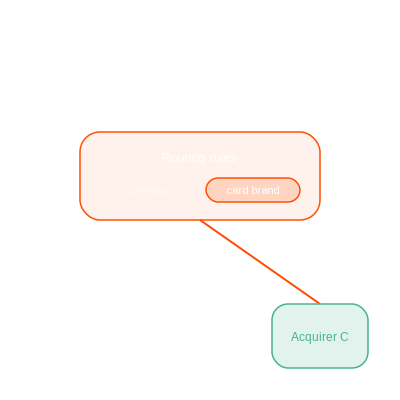
If merchant A pays in EUR with a card issued in Germany, route to acquirer A.
If the same card fails repeatedly, reject the next attempt.
If a card has no chargebacks in the defined period, skip 3-D Secure where the rules allow.
If weekly volume reaches 85% of a merchant’s limit, notify the risk team.
These four rules are the examples eComCharge Smart Routing uses: one engine decides route, antifraud action and authentication through the 3-D Secure server. SmartCheck adds card history, such as earlier chargebacks and failed payments, as a rule condition.
How Does PSP Software Calculate Fees and Merchant Payouts?
It applies two rates to every transaction: the sell rate you charge the merchant and the buy rate your acquirer charges you. The difference is your revenue. It then holds back any reserve and produces a statement of what you owe each merchant, which your finance team pays out.
On eComCharge, buy and sell rates are set per shop, payment method and currency, for each transaction type: authorization, capture, payment, refund, chargeback and payout. Our guide to the payment gateway business model shows how these margins add up.
Two settings decide what the merchant is owed each day: the reserve and the nightly statement. A rolling reserve is a percentage of each payment held for a number of days you set. Every night at midnight the platform closes the trading day and draws up a financial statement for each shop.
Illustrative example
One trading day for one shop
Assumptions: one shop, payments only, no refunds or chargebacks that day. The rates are invented for the arithmetic and are neither market rates nor eComCharge prices.
Line
Input
Result
Payments processed
200 payments
€40,000
Sell rate charged to the merchant
2.0%
€800
Buy rate paid to the acquirer
1.5%
€600
Your revenue
Sell minus buy
€200
Rolling reserve held
10%, released after 90 days
€4,000
Due to the merchant
Payments minus fee minus reserve
€35,200
On payout day, your accountant filters the Payout section by pay period. The platform builds a register of the amount due per merchant and currency, and marking it paid closes those statements so they cannot be counted again.
Merchants see the same statements without your buy rate or revenue, so they can check each payout themselves.
PSD2, Article 10
If you hold merchant funds
A payment institution in the EU must safeguard funds it receives for payment transactions. Under Article 10 of PSD2, the second Payment Services Directive, the institution either keeps these funds apart from its own and, if they are still held at the end of the business day following receipt, places them in a separate account at a credit institution or in secure, liquid low-risk assets, or covers them with insurance or a comparable guarantee.
The software calculates the payout; your bank accounts and treasury process meet this rule.
What Reconciliation, Reporting and Support Tools Should PSP Software Have?
You need tools that answer finance’s, management’s and support’s questions without a developer. Finance matches what was processed against what the banks paid. Management watches approval rates and chargebacks per merchant. Support finds one transaction in seconds and sees why it failed.
Reporting and support tools by team
Team
Question
Tool on eComCharge
Finance
Do processed amounts, refunds and chargebacks match the bank statement?
FinStatHub reconciliation against bank statements
Management
Which merchants, methods or acquirers decline most?
Dashboards built from 10+ widget types; saved report templates
Support
What happened to this payment?
Data warehouse search by UID (unique identifier) with no date needed
Support and payments operations
Did the acquirer or the 3-D Secure step fail?
Back-office transaction logs of requests to and responses from acquirers
Merchants
How are my sales and declines this week?
Merchant dashboard and exports in .xlsx and .csv
Support is also a staffing choice. eComCharge provides 24/7 technical support to you by default and, for an additional fee, can talk to your merchants and acquirers on your behalf, so you do not hire a first-line technical team on day one.
Should You Build Payment Service Provider Software or Use White Label?
Build if the software itself is your product and you can fund a long project; we estimate 12 months to 2 years for a production-ready gateway. License a white label platform if your edge is merchants, markets or acquiring relationships. A lifetime licence on your own servers sits between the two.
A merchant selling only its own goods needs a gateway account, not PSP software. An agent who refers merchants to another provider for commission does not need it either. The stack pays off once you sign merchants under your brand and own their pricing, risk and payouts.
Which Compliance Duties Stay With You When You License PSP Software?
Licensed software moves the platform’s certification to the vendor, not your obligations. Under PCI DSS the vendor is your third-party service provider (TPSP), and you must manage it. Under PSD2, outsourcing IT does not shift senior management’s responsibility. Licensing, KYC, anti-money-laundering checks and merchant funds stay yours.
Who covers what when you license PSP software
Area
Vendor
You, the operator
Card data on the platform
PCI DSS certification of storage, processing and transmission; tokenization
Your own systems, networks and integrations that touch card data
Back-office access
Role and permission features
Who gets which role, and removing leavers
Vendor oversight
Written acknowledgment of its responsibilities; its Attestation of Compliance (AOC)
Written agreement, a yearly check of its status, a record of who manages each requirement
Licence and supervision
n/a
Your licence or a licensed partner, reporting to your regulator
The vendor duties follow PCI DSS v4.0.1, the current version, which added or deleted no requirements compared with v4.0. Requirement 12.8.2, as quoted by the PCI Security Standards Council, asks for written agreements in which the TPSP acknowledges its responsibility for the account data it handles. Requirement 12.8.4 asks you to check the TPSP’s compliance status at least once every 12 months, and 12.8.5 to record which requirements each party manages.
What Are the Risks of PSP Software, and How Do You Reduce Them?
The risks are concentration and misconfiguration. Every merchant runs on one platform, so one outage, one noisy tenant or one wrong tariff reaches all of them. Most of these risks shrink with contract terms, the right settings and a second acquirer.
Five risks and how to reduce them
Risk
What goes wrong
How to reduce it
Vendor lock-in
Merchants, card tokens and history sit on the vendor’s platform
Agree data export, token migration and an exit clause before you sign
How the processing layer moves a payment from checkout to the acquirer, and what to check in it.
PSP Software from eComCharge
eComCharge develops a white label platform that gives you, as a PSP, acquiring bank or platform, the modules above under your own brand. You choose SaaS, with installation from 1 week, or your own servers, with installation from 3 months or a lifetime licence.
PCI DSS Level 1 compliant, with annual security audits since 2012.
170+ active connectors with banks and payment methods, and new connectors developed on request.
PSP → merchant → shop hierarchy with roles, permissions, tariffs and limits.
Smart Routing for routing, antifraud and 3-D Secure rules, plus SmartCheck card history.
Financial statements, payout registers and FinStatHub reconciliation.
Hosted payment page, widget, mobile SDKs, 40+ e-commerce plugins, payment links and 12 transaction types.
24/7 technical support and a dedicated data warehouse for each PSP.
eComCharge pricing depends on your specific needs, such as the deployment model, volume and connectors, so contact our sales team for a quote.
Payment service provider software is the platform a PSP, acquiring bank or EMI runs to sell online payment acceptance to many merchants. It combines the checkout and gateway with merchant onboarding, a back office, risk rules, routing to acquirers, fee calculation, merchant payouts, reconciliation and support tools, each used by your staff, your merchants or both.
A payment gateway accepts and routes payments for a merchant. PSP software contains a gateway but adds what you need to run a payment business for many merchants: a merchant hierarchy, onboarding and limits, buy and sell rates, payout calculation, reconciliation, staff roles and support tools. A single merchant needs the gateway; an operator needs the whole stack.
Usually it holds the result rather than doing the check. Your compliance team, often with a verification provider, runs KYC and know-your-business checks and underwriting. The software stores the merchant’s status, limits, tariffs and shops, and blocks processing until the merchant is approved. Check which verification services the platform connects to before you sign.
It applies the sell rate you charge the merchant and the buy rate your acquirer charges you to each transaction, holds back any rolling reserve and produces a statement of the amount due. On eComCharge this statement is drawn up per shop every night, and the Payout section turns the statements for a pay period into a payout register.
At minimum: daily financial statements per merchant, transaction search and export by merchant, acquirer, currency and status, and a way to match processed amounts, refunds and chargebacks against your bank statements. Merchants should see their own version of the reports so that they stop asking your support team for numbers.
Build only if you need full control and can fund a long project; we estimate 12 months to 2 years for a production-ready gateway built in-house. A white label platform is installed sooner: on eComCharge a SaaS installation takes from 1 week and an installation on your own servers from 3 months. Acquirer and merchant onboarding come on top.
Responsibility is shared. The vendor certifies the platform that stores, processes and transmits card data. You keep your own systems, staff access and merchant onboarding in scope. PCI DSS asks you to hold a written agreement with the vendor, monitor its compliance status at least every 12 months and record which requirements each party manages.
A merchant that accepts payments only for its own sales needs a gateway account, not a PSP platform. The same goes for an agent who only refers merchants to another provider for commission. PSP software pays off when you sign merchants under your own brand, set their pricing and handle their support and payouts.
It depends on the deployment model, transaction volume, connectors and customisation, so there is no list price. eComCharge pricing depends on your specific needs; contact our sales team for a quote. Budget separately for licensing, compliance, acquirer agreements and the staff who run risk, finance and support.
Respectfully, the eComCharge Team
eComCharge develops and delivers the PCI DSS Level 1 certified white-label payment platform for Payment Service Providers and Payment Orchestration.
How vertical SaaS platforms and the PSPs that serve them run embedded payments: the four models and their liability, recurring billing and SCA, failed renewals, cross-border acquiring, PCI DSS scope and the revenue maths.
How intelligent payment routing picks an acquirer for each payment in real time, joins routing with antifraud and 3DS, and recovers soft declines within Visa and Mastercard retry rules.
A guide for PSPs, acquiring banks and EMIs to the processing engine: what payment processing software does at each stage of a card payment, who owns each step, which interfaces and requirements apply, and how to test it.
A guide for PSPs, banks and EMIs adding peer-to-peer transfers through an API: how the funding and credit legs work, scheme push-payment rules, EU licensing and AML obligations, KYC limits, fraud controls and integration options.
An overview of payment routing for PSPs and banks: how a gateway chooses the acquirer for each online payment, the main rule types, static vs dynamic routing, least-cost routing, failover and cascading, KPIs and risks.
How payment settlement works after a card payment is approved: who moves the money, who receives it, what is deducted, how long it takes and what a PSP must control when it pays merchants out.